
String Escape / Unescape
Escape or unescape plain strings for code usage.
Type to search tools. Use the up and down arrow keys to move through results, Enter to open a result, and Escape to clear the search.
Escape or unescape plain strings for code usage.
Related tools
Ready tools are shown first.
Tool guide
Free Online String Escape / Unescape Tool
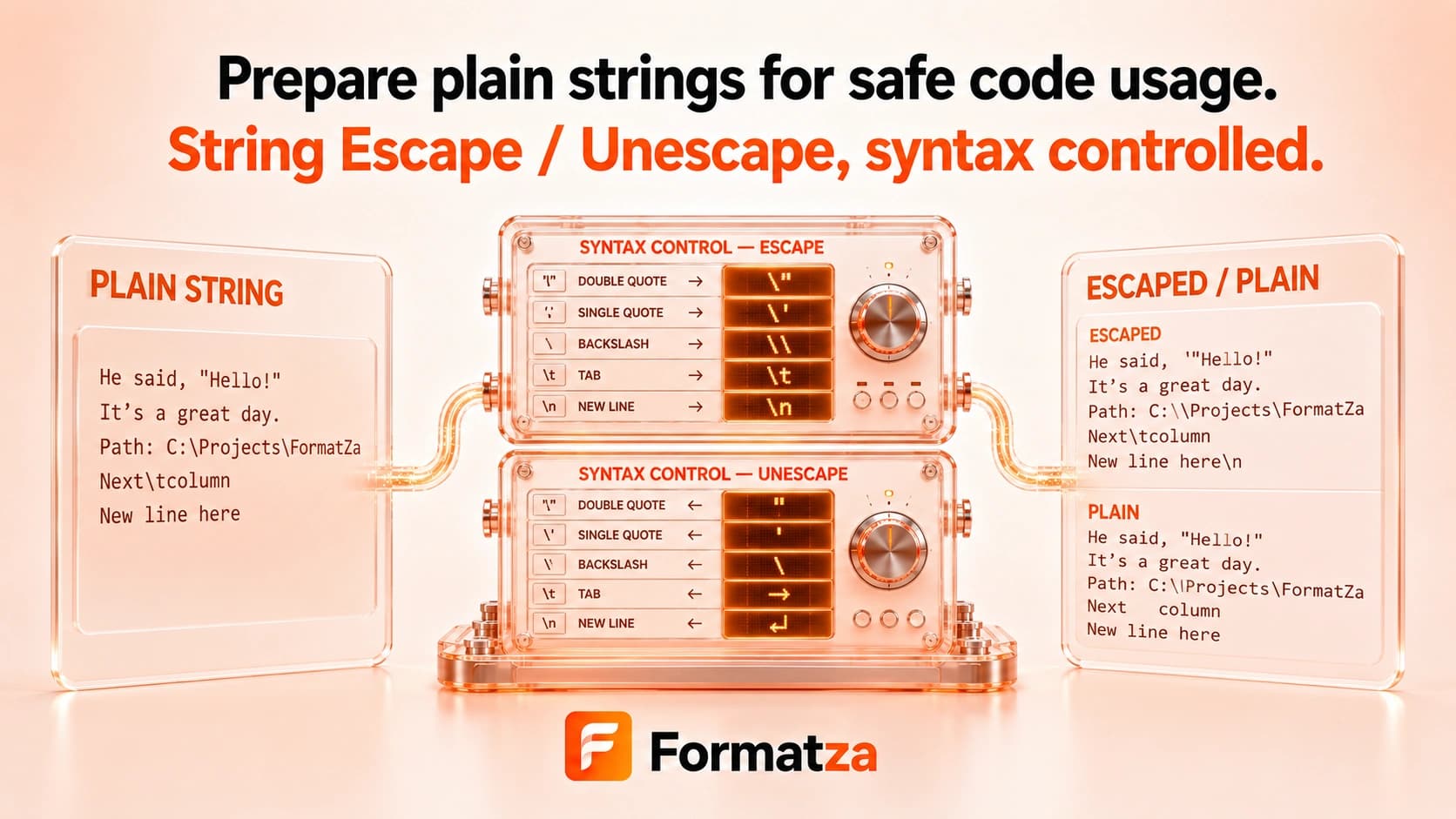
Escape common backslash-sensitive characters in plain text, or turn recognized \n, \r, \t, quote, apostrophe, and backslash sequences back into characters. The result remains editable text and is never evaluated as code.
Steps
How it works
- Choose Escape or Unescape.
- Paste a string or choose one plain-text file.
- Convert common backslash escape sequences.
- Review, copy, or download the transformed text.
Highlights
Key features
- Escapes backslashes before other supported characters to avoid losing literal slashes.
- Represents line feed, carriage return, and tab as \n, \r, and \t.
- Escapes both double quotes and apostrophes with a backslash.
- Unescapes the recognized newline, carriage-return, tab, quote, apostrophe, and backslash sequences.
- Does not add surrounding quotation marks or execute the output.
- Provides plain-text file input, copy, and download actions.
Use cases
Common uses
- Prepare a short string for a generic code example.
- Make newlines and tabs visible in copied text.
- Read common escaped sequences from logs or configuration snippets.
- Remove one layer of supported backslash escaping.
Notes
Limitations to know
- This is a small generic backslash convention, not a complete parser for JavaScript, JSON, C, Python, or every programming language.
- Unicode, hexadecimal, octal, null, backspace, form-feed, and other language-specific escapes are not converted.
- Unknown escape sequences remain unchanged during unescaping.
- Escaping an already escaped string adds another backslash layer and can produce double escaping.
- The tool is not encryption, sanitization, URL encoding, HTML encoding, Base64, or JSON parsing.
FAQ
Frequently asked questions
Which escape syntax does String Escape / Unescape use?
It uses common backslash sequences for newlines, carriage returns, tabs, quotes, apostrophes, and literal backslashes.
Does it escape both single and double quotes?
Yes. Both quote types receive a leading backslash when escaping.
Does the tool add surrounding quotes?
No. It transforms the string content only.
What happens to an already escaped string?
Escaping it again adds another backslash layer. Unescape removes only recognized sequences from one pass.
Are Unicode escapes such as \u0041 supported?
No. Use Unicode Encoder / Decoder for Unicode escape syntax.
How is this different from JSON Escape / Unescape?
This tool applies a limited generic set of escapes and does not parse JSON string syntax or add JSON quotation marks.