
Base64 Encoder / Decoder
Encode or decode Base64 text.
Type to search tools. Use the up and down arrow keys to move through results, Enter to open a result, and Escape to clear the search.
Encode or decode Base64 text.
Related tools
Ready tools are shown first.
Tool guide
Free Online Base64 Encoder / Decoder
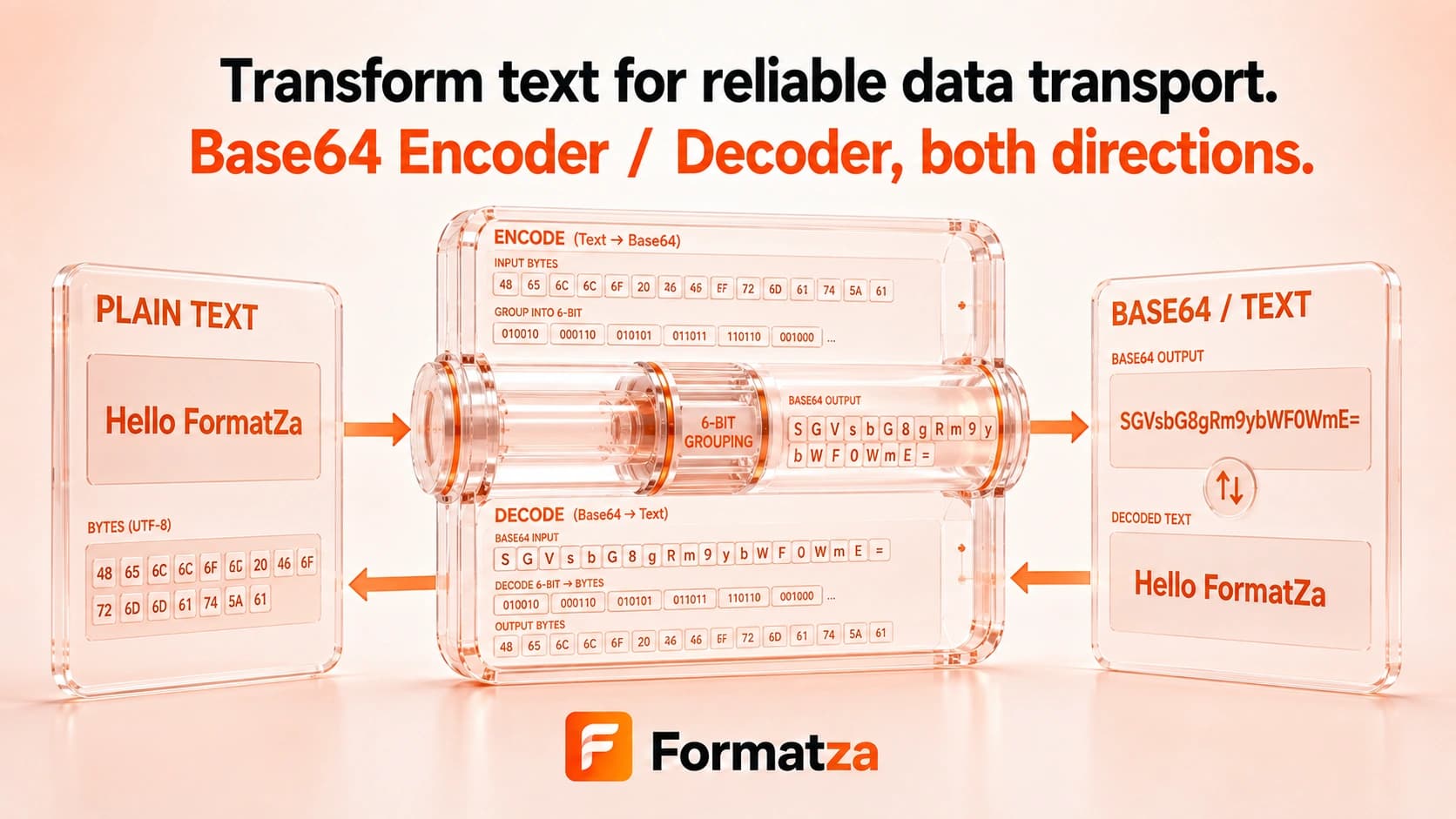
Encode Unicode text as standard Base64 or decode standard Base64 back into UTF-8 text in your browser. Paste a string or load a plain-text file, then copy or download the converted result.
Steps
How it works
- Choose Text to Base64 or Base64 to Text.
- Paste text, paste a Base64 string, or choose one plain-text file.
- Convert the value using standard Base64 and UTF-8 text handling.
- Review, copy, or download the result.
Highlights
Key features
- Encodes browser text as UTF-8 bytes before creating standard Base64.
- Decodes standard Base64 bytes back into UTF-8 text.
- Supports accented text, non-Latin scripts, and emoji when the Base64 represents valid UTF-8.
- Reports malformed Base64 or non-text UTF-8 output as invalid input.
- Accepts pasted content or one uploaded plain-text file.
- Provides copy and text download actions.
Use cases
Common uses
- Encode text values for API tests and configuration examples.
- Decode a Base64 string that contains UTF-8 text.
- Inspect encoded payload fragments during debugging.
- Convert a small text file into a copyable Base64 string.
Notes
Limitations to know
- This tool processes text and uploaded text files; arbitrary binary files and image-to-Base64 conversion are not supported.
- It uses standard Base64, not the URL-safe Base64 alphabet.
- Data URI prefixes are not removed automatically and should not be included in decode input.
- Valid padding and alphabet rules are handled by the browser decoder, so malformed or incompatible strings fail.
- Base64 increases data length and provides no encryption, compression, hashing, or secrecy.
FAQ
Frequently asked questions
Is Base64 encryption?
No. Base64 is reversible byte-to-text encoding and does not protect sensitive information.
Does Base64 Encoder / Decoder support Unicode and emoji?
Yes. Text is encoded and decoded as UTF-8, provided the Base64 data represents valid UTF-8 text.
Does it support URL-safe Base64?
No. The tool uses the standard Base64 alphabet rather than Base64URL.
Is Base64 padding required?
The browser's standard decoder validates the supplied string. Add the correct = padding when an unpadded value is rejected.
Why is Base64 output longer than the original?
Base64 represents each group of binary bytes with printable characters, which normally adds roughly one-third to the byte length.
Can it encode images or other binary files?
No. This interface is for typed text and plain-text files only.