
Excel to JSON
Convert Excel spreadsheets to JSON data.
Type to search tools. Use the up and down arrow keys to move through results, Enter to open a result, and Escape to clear the search.
Convert Excel spreadsheets to JSON data.
Related tools
Ready tools are shown first.
Excel to CSV
Convert Excel spreadsheets to CSV files.
CSV to Excel
Convert CSV files to Excel spreadsheets.
Excel to JSON
Convert Excel spreadsheets to JSON data.
JSON to Excel
Convert JSON data to Excel spreadsheets.
Excel to HTML
Convert Excel sheets to HTML tables.
HTML Table to Excel
Convert HTML tables to Excel spreadsheets.
Tool guide
Free Online Excel to JSON Converter
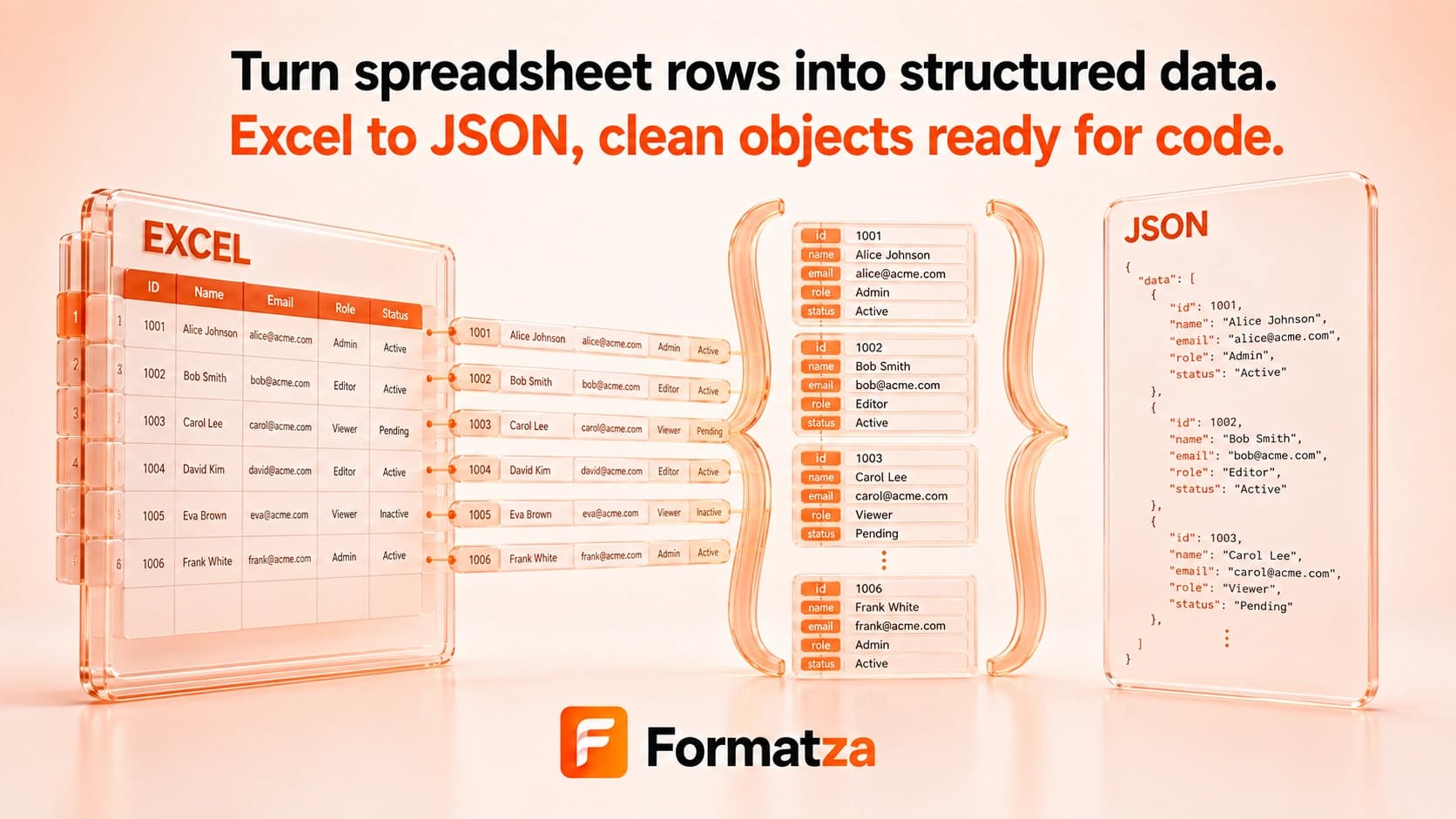
Convert one selected Excel worksheet into a readable JSON array in your browser. The first table row supplies object keys, and each following row becomes an object, making the tool best suited to conventional worksheets with clear, unique column headings.
Steps
How it works
- Choose one supported XLS or XLSX workbook.
- Select the worksheet to convert and review its rows.
- Convert the sheet into an array of JSON objects.
- Review, copy, or download the formatted JSON output.
Highlights
Key features
- Supports selecting one worksheet from an XLS or XLSX workbook.
- Uses worksheet headers as JSON property names.
- Creates one object per data row with empty cells represented by empty values.
- Produces indented JSON for easier reading.
- Shows a table preview before generating the JSON file.
Use cases
Common uses
- Prepare spreadsheet records for a web application or API workflow.
- Move a flat worksheet table into a JSON-based data project.
- Create readable JSON for testing or development.
- Export one worksheet for use in scripts and data pipelines.
Notes
Limitations to know
- Only one workbook and one selected worksheet are converted; batch, bulk, all-sheet, and ZIP output are unavailable.
- The result is a flat array of row objects and does not create nested JSON structures.
- Blank or duplicate column headings may be renamed or represented by generated keys from the spreadsheet library.
- Excel formatting, formulas as executable logic, charts, comments, images, merged-cell layout, and workbook metadata are not represented in JSON.
- Date cells and formatted numbers may serialize as stored values rather than matching their exact visual Excel display.
FAQ
Frequently asked questions
How is the JSON structured?
The selected sheet becomes an array of objects: column headings become keys and each following worksheet row becomes one object.
Can I convert all worksheets together?
No. You select and convert one worksheet per run.
Does it create nested JSON?
No. The implementation produces a flat row-based array and does not infer nested objects or arrays.
What happens to empty cells?
The spreadsheet conversion supplies empty values so the row structure remains aligned with its headings.
Are formulas preserved?
No. JSON does not preserve workbook formulas as working spreadsheet logic; available cell values are exported instead.